
Next step
MDB Retrofit Workflows
See how legacy cabinets move into a modern touchscreen and cloud-managed operating setup.
Explore MDB retrofitWhen an operator asks whether a legacy machine is MDB or Pulse, the real question is usually whether the cabinet is worth modernizing. Getting that diagnosis wrong can mean buying the wrong controller path, wasting install time, or writing off a machine that could have been brought back into service.
This guide explains where MDB vending retrofit fits in a live deployment, what usually goes wrong first, and why why mdb versus pulse keeps surfacing in retrofit projects tends to shape the next buying decision more than a glossy feature list ever will.
Use it when the conversation has moved beyond light research and someone now needs a practical brief they can carry into compatibility review, procurement, or rollout planning.
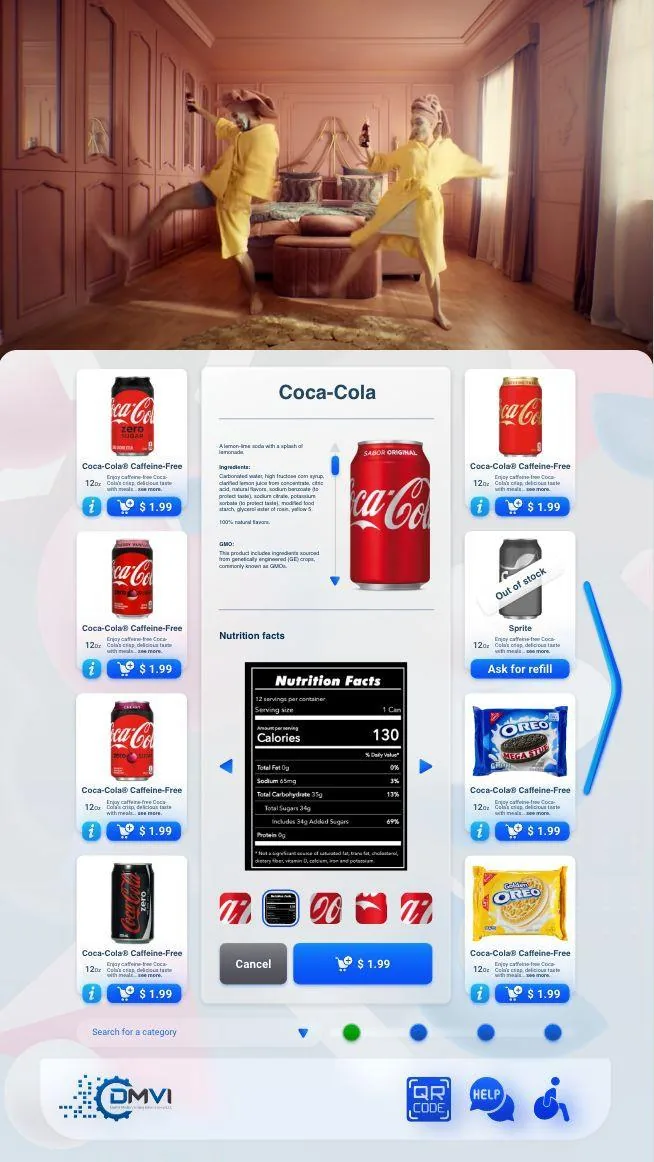
Retrofitting legacy vending fleets that use MDB or Pulse affects more than headline positioning. It changes rollout sequencing, workflow ownership, and which assumptions need to be confirmed before money or hardware is committed.
This guide walks through MDB vending retrofit in operational terms, with particular attention to why mdb versus pulse keeps surfacing in retrofit projects and the surrounding decisions buyers usually need answered before the project can move forward.
The goal is to give operations, procurement, compliance, and implementation stakeholders a shared working brief instead of leaving each team to infer the hard bits separately.
When the project is ready, the same questions can be carried directly into a scoped demo or compatibility review with the machine model, region, and deployment objective already defined.
When an operator asks whether a machine is MDB or Pulse, the real worry is usually not protocol trivia. It is whether the cabinet can accept the payment, telemetry, and software upgrade path the buyer has in mind without a messy install, the wrong harness, or an avoidable round of truck rolls.
That is why protocol language becomes shorthand for a much bigger commercial decision. Buyers are really trying to answer whether the machine is worth modernising, what parts will be needed, and how much uncertainty still sits between the current cabinet and the intended live workflow.
MDB is the communication bus most operators and payment vendors prefer when the goal is a cleaner path to cashless readers, telemetry, and broader controller-level conversation with peripherals. It supports richer device communication than a simple credit pulse and tends to make modern integrations more straightforward when the cabinet and firmware are in good shape.
That does not mean every MDB-labelled machine is automatically ready for any upgrade. Controller generation, firmware, connector path, power, and physical mounting still matter, but native MDB usually makes the modernisation discussion cleaner rather than more improvised.
Pulse or parallel-style setups often belong to older machine environments where the cabinet can still function commercially but does not offer the same native device-to-controller conversation as MDB. Cashless readers and adapters can still be fitted in many cases, yet the install tends to involve more bridging hardware, more configuration, and more support edge cases later.
That is why Pulse should not be treated as a dead end or as a free pass. It is often a sign that the upgrade path needs tighter scoping before anyone buys parts, not a sign that the machine is either automatically doomed or automatically fine.
Protocol is only one line in a real compatibility review. The operator should confirm machine make and model, controller version, current payment hardware, connector type, firmware level, cabinet condition, available mounting positions, and what outcome is actually desired after the upgrade. A simple card-reader retrofit and a touchscreen cloud-modernisation project are not the same scope.
Doing this homework early is where a lot of cost is saved. The wrong assumption can lead to the wrong reader kit, the wrong interface board, or an install call that ends with a technician discovering the machine needs more work than anyone budgeted for.
A cabinet is worth modernising when the machine is commercially sound, physically serviceable, and can accept the required hardware path without becoming an engineering hobby. If the install starts to require multiple adapters, controller work, cabinet modifications, and uncertain future support, replacement may produce a cleaner long-term answer even if retrofit looks cheaper at first glance.
That is why honest vendors talk about economics as well as compatibility. The question is not whether a retrofit is technically possible in some heroic sense, but whether it produces a machine the operator will be happy to own and support for the next few years.
The strongest next step is a machine-specific compatibility review that includes photos, controller details, payment expectations, geography, and the target workflow after modernisation. That turns a vague protocol debate into a decision about install risk, commercial value, and the cleanest route into the wider platform.
If the cabinet is viable, the upgrade path becomes clearer. If it is not, the buyer still wins because the project stops before money is spent on the wrong hardware. Either way, clarity arrives much earlier than it does in the usual guess-first, install-later approach.
Most vending deployments succeed when the operator treats this topic as part of a wider operating model instead of a standalone feature request. That means machine compatibility, workflow ownership, reporting expectations, and rollout sequencing should all be reviewed together rather than in separate disconnected conversations.
Buyers also benefit from documenting what must be true on day one, what can be phased in later, and which assumptions still need confirmation from hardware, payment, or compliance stakeholders. That level of clarity shortens implementation cycles and prevents expensive rework after the machine is already live.
In practical terms, the strongest next step is usually a compatibility review or a scoped demo with the machine type, rollout geography, and business objective already defined. That gives DMVI enough context to answer the real question, not just the headline version of it.
Teams that document those answers early also make the project easier for procurement, operations, finance, and implementation partners to evaluate. Clear documentation becomes especially valuable when multiple vendors, venues, or regulators are involved because everyone can work from the same operating assumptions instead of inventing them as the project moves.
Use this checklist to pressure-test the deployment before money, hardware, or procurement time is committed.
Use the related pages below to move from research into the right product or deployment conversation.
Usually by confirming the machine model, controller history, payment setup, and any available service documentation. If the cabinet history is messy, compatibility review is often the quickest way to sort the likely path.
Often yes, provided the cabinet is commercially worth keeping and the controller, power, payment, and screen path all support a sensible retrofit plan.
They often do. The bus type changes how controllers, payments, and retrofit assumptions are reviewed, which is why protocol identification matters before anyone buys parts.
That is common. DMVI can usually start from machine make, model, controller details, photos, and the current payment setup to narrow the modernization path.
Yes, because the protocol affects the machine-side communication path. Payment decisions made before protocol identification can easily create delay, rework, or outright mismatch.
When the cabinet condition, controller constraints, or commercial value no longer justify the retrofit spend. A good review should say that plainly rather than forcing modernization where it does not belong.
Yes, but the route into the platform depends on the actual cabinet and controller environment. The correct answer is machine-specific, not slogan-specific.
Bring machine model details, current payment hardware, any controller information, cabinet photos, and a clear description of what you want the upgraded machine to do after modernization.
Move from research into the product, solution, or compatibility page that best matches the machine and deployment you are actually planning.