
VendingTracker Theme Manager — Custom Branded Machine Interfaces for Operators and OEMs
Theme Manager is the front-end customization layer that allows one software platform to present different branded machine experiences for different operators, OEMs, venues, or deployments.
That matters because it gives buyers brand control without forcing them into separate software stacks.
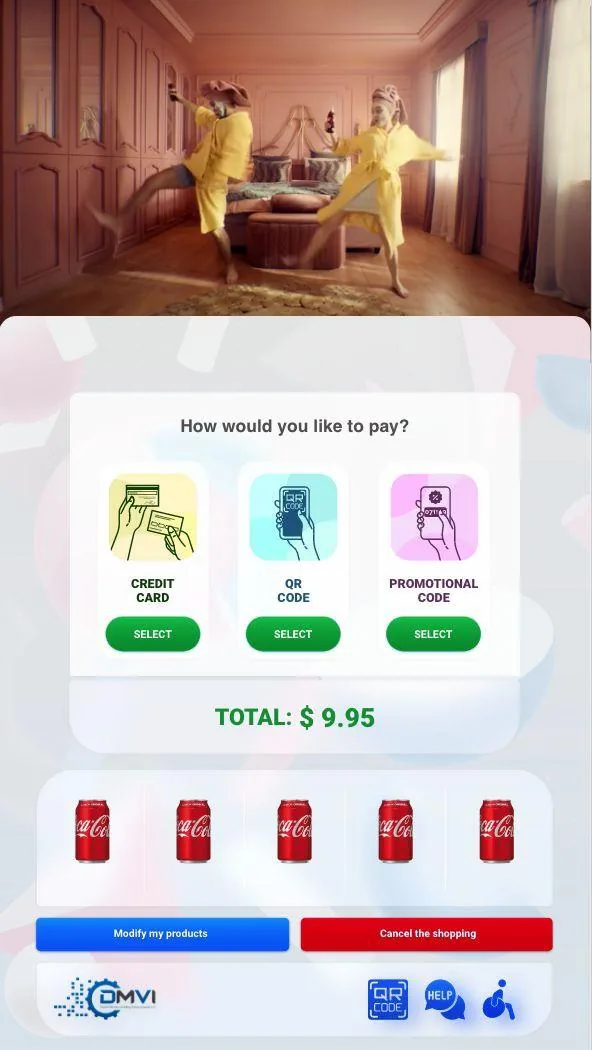
What this feature controls
Theme Manager is the front-end customization layer that allows one software platform to present different branded machine experiences for different operators, OEMs, venues, or deployments.
That matters because it gives buyers brand control without forcing them into separate software stacks.
- Logo, colors, and layout control
- OEM and white-label machine UI
- Operator branding by venue or deployment
- Promotional areas and content surfaces
- Connected fit with digital signage workflows
How it fits the wider platform
Theme Manager controls logos, color palettes, layouts, promotional areas, and related shopper-facing UI surfaces.
It also connects naturally to digital signage, white-label OEM deployment stories, and custom-development conversations where the requirement goes beyond theming into machine UI or workflow scope.
See Theme Manager in the live software context
Theme Manager sits inside the wider machine-side software experience, not in isolation. This short demo gives buyers a cleaner landscape view of the touchscreen environment the branding layer lives inside.
FAQ
What does Theme Manager control?
Theme Manager controls the shopper-facing machine interface, including branding, layout structure, and promotional screen areas.
Can OEMs use Theme Manager?
Yes. OEM partners can present VendingTracker as a branded product experience built on a shared software core.
Can operators run multiple themes?
Yes. Different venues or deployments can run separate themes from the same platform.
Does Theme Manager replace the rest of the platform?
No. It sits on top of the same monitoring, inventory, reporting, and payment platform.
How do I review the branded deployment scope?
Book an OEM or branded deployment review with the machine and rollout context ready. If the requirement goes beyond theme control into custom machine UI or workflow behaviour, the next step may be a scoped custom-development review.
Turn the feature brief into a machine-fit decision
Feature pages are most useful when they lead straight into compatibility review, workflow walkthroughs, or a scoped platform demo.