
Next step
Cashless & QR Payments
Compare card-reader and phone-led payment flows so checkout fits the machine and buyer journey.
See payment optionsA QR payment flow only feels elegant when the machine, the phone, and the payment confirmation all stay in sync. If that handoff is clumsy, the shopper blames the machine, the operator blames the processor, and everyone wastes time untangling a preventable checkout problem.
This guide explains where dynamic QR vending payment fits in a live deployment, what usually goes wrong first, and why why dynamic qr matters more than a static qr sticker tends to shape the next buying decision more than a glossy feature list ever will.
Use it when the conversation has moved beyond light research and someone now needs a practical brief they can carry into compatibility review, procurement, or rollout planning.
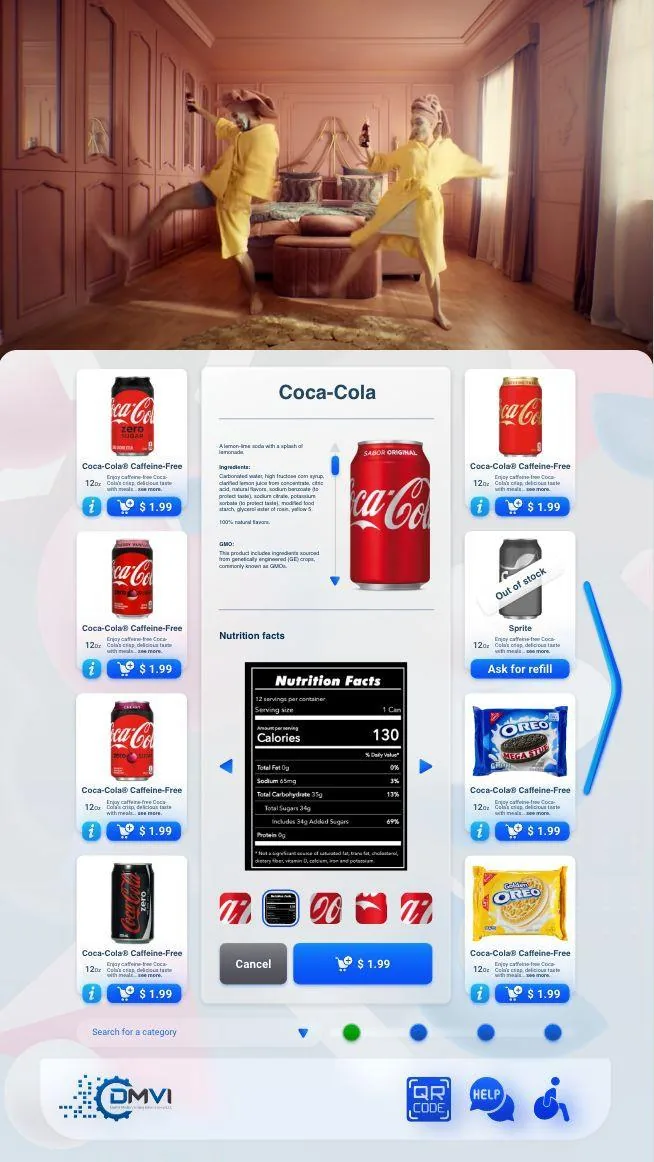
Dynamic QR checkout paths for vending deployments affects more than headline positioning. It changes rollout sequencing, workflow ownership, and which assumptions need to be confirmed before money or hardware is committed.
This guide walks through dynamic QR vending payment in operational terms, with particular attention to why dynamic qr matters more than a static qr sticker and the surrounding decisions buyers usually need answered before the project can move forward.
The goal is to give operations, procurement, compliance, and implementation stakeholders a shared working brief instead of leaving each team to infer the hard bits separately.
When the project is ready, the same questions can be carried directly into a scoped demo or compatibility review with the machine model, region, and deployment objective already defined.
A static QR code can send a shopper to a payment page, but that alone does not create a reliable vending workflow. Dynamic QR is different because the code or linked session is tied to a live transaction, with the amount, order state, and machine context generated by the backend rather than guessed by the customer.
That difference matters because operators do not just need payment to happen somewhere on a phone. They need the machine to know which session is being paid, whether the payment was really confirmed, and whether it is now safe to release the product without creating a dispute or a failed vend.
In a good dynamic QR flow the shopper selects a product, the machine creates a transaction session, the QR is shown or a callback path is started, and the payment result comes back to the machine environment in a way the platform can trust. The elegant part is not the code image on the screen, it is the controlled state management behind it.
This is why weak QR deployments fail in such predictable ways. Someone scans but does not pay, pays but the callback is late, or completes the phone side while the machine still thinks the session is open. Every one of those edge cases needs a rule before rollout, not after the first complaint arrives.
Dynamic QR can be very strong in environments where shoppers are comfortable with phone-led payments, where the machine has a decent screen, and where the operator wants another digital payment path without bolting a full hardware-reader strategy onto every cabinet. It can also work well as part of a hybrid payment posture where QR and tap-to-pay coexist rather than compete ideologically.
It is weaker when the customer expectation is instant tap-and-go, when connectivity is poor, or when the machine-side user experience is too clumsy to guide the shopper confidently from selection to phone to confirmed dispense. In those environments QR may still be useful, but not necessarily as the only checkout path.
Some markets are already comfortable with merchant-presented QR and phone-led wallet behaviour, while others remain heavily card-first. Operators who ignore that cultural and payment-context difference often end up mistaking a local preference problem for a technology problem.
That is why the most credible QR conversation sounds less like a universal trend piece and more like a deployment review. The right question is whether the shoppers at this machine, in this venue, in this geography, will actually complete the flow happily enough for the economics to work.
Before scaling a QR payment path, buyers should test screen readability, scan distance, payment confirmation behaviour, failed-vend handling, refund logic, receipt expectations, and the support process for incomplete sessions. Those are the operational details that shape trust more than any headline claim about innovation or convenience.
Vendor comparison should focus on session control, reconciliation, API or webhook quality, timeout handling, and how flexible the machine-side UX can be. A QR payments feature becomes commercially useful only when those pieces stay coherent under real-world conditions.
The useful commercial frame is not that QR is magically better or cheaper than every card-led alternative. It is that QR may reduce certain hardware burdens, open another payment path, or fit certain venues especially well, while still requiring serious thinking around workflow design and customer behaviour.
That balance is what makes the topic worth discussing with some sobriety. Operators do not need a lecture about QR codes being modern. They need a sane answer to whether this payment path will improve the customer journey and reduce friction in their actual machine estate.
Most vending deployments succeed when the operator treats this topic as part of a wider operating model instead of a standalone feature request. That means machine compatibility, workflow ownership, reporting expectations, and rollout sequencing should all be reviewed together rather than in separate disconnected conversations.
Buyers also benefit from documenting what must be true on day one, what can be phased in later, and which assumptions still need confirmation from hardware, payment, or compliance stakeholders. That level of clarity shortens implementation cycles and prevents expensive rework after the machine is already live.
In practical terms, the strongest next step is usually a compatibility review or a scoped demo with the machine type, rollout geography, and business objective already defined. That gives DMVI enough context to answer the real question, not just the headline version of it.
Teams that document those answers early also make the project easier for procurement, operations, finance, and implementation partners to evaluate. Clear documentation becomes especially valuable when multiple vendors, venues, or regulators are involved because everyone can work from the same operating assumptions instead of inventing them as the project moves.
Use this checklist to pressure-test the deployment before money, hardware, or procurement time is committed.
Use the related pages below to move from research into the right product or deployment conversation.
A dynamic QR flow is generated at the moment of purchase and tied to the live transaction. That gives the operator more control over amount, order context, and confirmation than a fixed code stuck to the cabinet.
The weak point is often the handoff between the machine, the shopper’s phone, and payment confirmation. If those states drift apart, customers lose confidence very quickly.
No. They can also help in deployments where the operator wants another payment path without immediately redesigning the entire machine or card-reader strategy.
Yes. The shopper has to understand when to scan, what they are confirming on the phone, and when the machine will release the product. That means the machine-side UX matters just as much as the payment endpoint.
Test transaction timing, machine confirmation behavior, failed-payment handling, customer instructions on the screen, and what happens when the shopper starts but does not complete the phone flow.
Sometimes yes, but the right answer depends on the machine-side controller path and whether the retrofit plan can support the experience cleanly rather than bolting it on awkwardly.
No. They often make compatibility review more important, because the machine, display path, and payment logic all need to feel coherent from the shopper’s point of view.
When the team is comparing checkout flows, machine types, and payment providers for a real rollout rather than just gathering general category education.
Move from research into the product, solution, or compatibility page that best matches the machine and deployment you are actually planning.